Make documents work for you.
Read and fill forms, add signature images, organise pages, and merge, split or compress your PDFs.
Read · Edit · Organise
 快轉通 / Your local workspace
Now available on Microsoft Store
Everyday files.
One calmer workspace.
PDFs, scanned documents, Office files, images and media. Bring everyday file tasks together in a desktop workspace built around local processing.
Windows x64 · Active development
Free to install from Microsoft Store
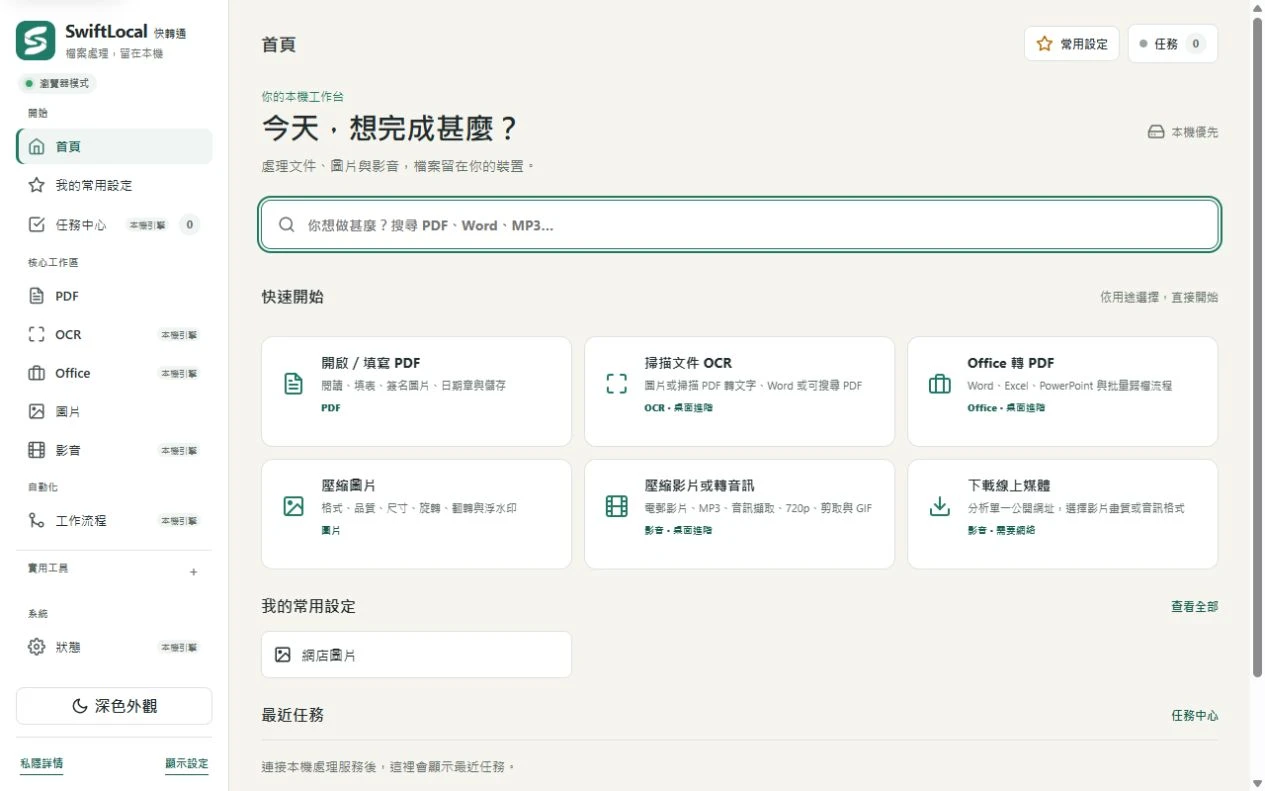
A place for every file
From a single scanned page to a folder of images, choose a task and keep your work in one place.
Read and fill forms, add signature images, organise pages, and merge, split or compress your PDFs.
Read · Edit · Organise
OCR
Turn images and scanned PDFs into text or searchable PDFs, with Traditional Chinese and English recognition.
Scans → Text · Searchable PDF
Office
Convert Word, Excel and PowerPoint documents to PDF, or turn a PDF into an editable Word document. Layout preservation is best-effort.
Word · Excel · PowerPoint
Images
Convert, compress, resize and rotate images, add watermarks, or collect images into a PDF. Process files in batches.
JPG · PNG · WebP
Media
Convert audio and video, extract an audio track, trim clips, change resolution or bitrate, and create GIFs.
Audio · Video · GIF
Your files, close to home
Ordinary PDF, OCR, Office, image and media conversions run on your device without uploading your documents to a SwiftLocal cloud service. Online media URL features need an internet connection.
Start with Windows
Windows x64 is the officially supported platform. SwiftLocal is now available free on Microsoft Store.
Install SwiftLocal from its official Microsoft Store listing. This site does not offer a direct executable download.
macOS is experimental and Linux is not officially supported. PDF-to-Word layout preservation is best-effort and may need manual adjustments.
Open the official SwiftLocal listing and follow the installation prompts.
Open a workspace, add your files and set the output options.
Start processing, follow the task progress and find your finished files.